Quick reference guide

Launch an instance

By the end you will have one live run of your workflow, moving through the graph and creating tasks as it goes.
About 4 minutes

Before you start

The steps

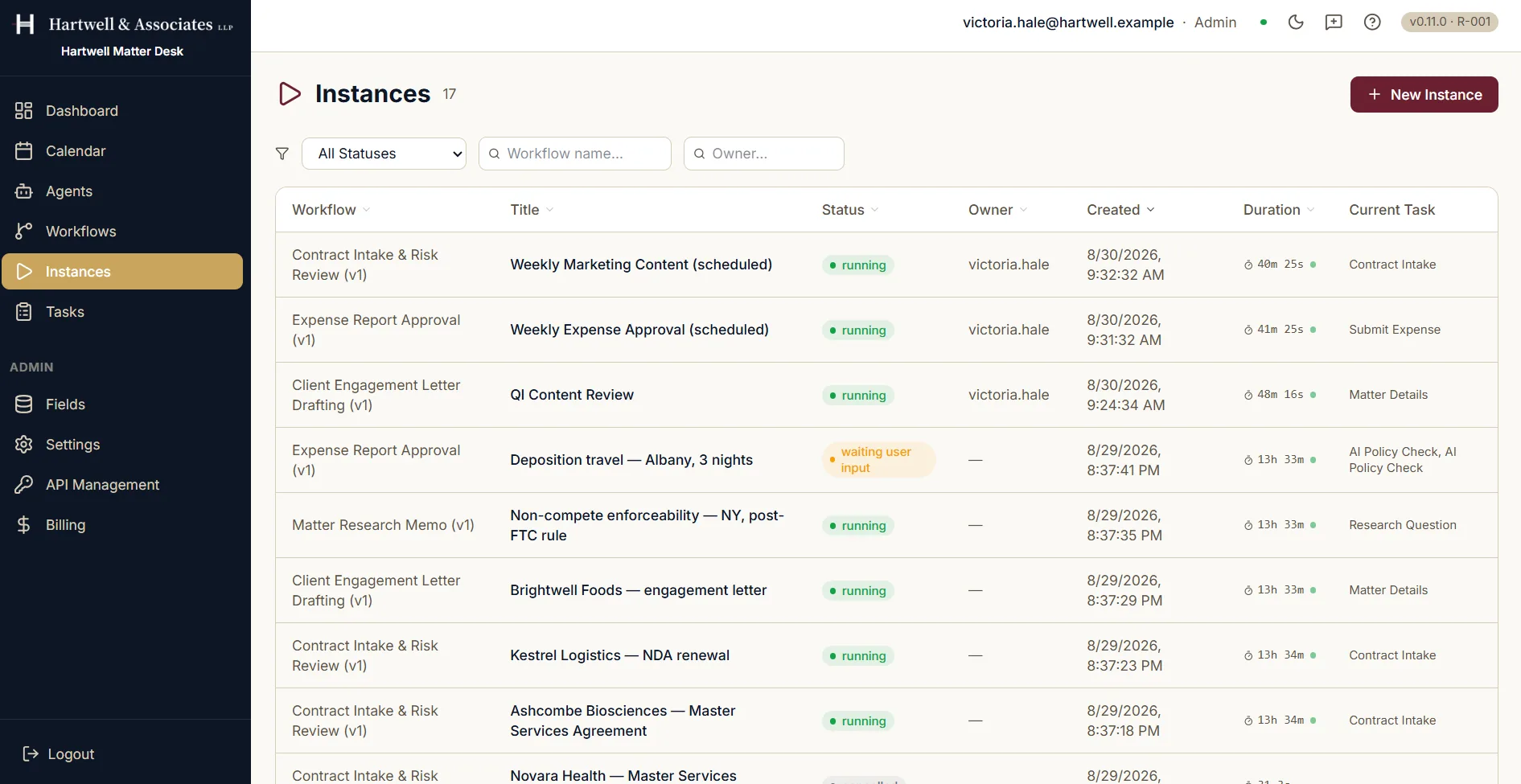
Instances running in the Hartwell demo workspace, which is example data, from creation through to the run appearing in the list.
The Instances screen in Dave, reading seventeen runs. A New Instance button sits in the top right, with filters for status, workflow name and owner below it. The table columns read Workflow, Title, Status, Owner, Created, Duration and Current Task, and the first rows show scheduled runs of Contract Intake and Risk Review and Expense Report Approval, each marked running and each naming the step it is currently on.

The instance list, with every run's status, owner and current step. Demo workspace with example data.

Where to go next

Adapted from the in-product help centre, which stays the fuller reference. For how to raise anything this guide does not cover, see the Support Hub.

Launch a Workflow Instance in Dave: A Quick Reference Guide | Dave